BIN app provides a simple solution for students and business professionals to organize and share their data safely.
Completed
2019
Duration
3 months
Role
User Experience & Product Design
Tools
Figma, Adobe Creative Suite, Draw.io, Pencil & Graph Paper
Problem
In our world today, there numerous cloud storage solutions that are available for a wide audience. However, what about the businesses professionals that need to store confidential data, or the students that need to organize and collaborate with their fellow classmates?
Solution
BIN app offers a simple cloud storage experience for students and working professionals. This solution aims to give users the power to upload, organize, secure and collaborate their data with ease. Bin was designed fill the void of unfulfilled user needs in a crowded cloud storage market.
VIEW BIN PROTOTYPE
View the live BIN prototype on Figma. These links will direct you to the mobile and desktop versions of this app.
To start off the user research process, I wanted to take a quick survey from people who did or didn’t use cloud storage. From 19 participants, these were a few interesting responses I received. As designers we can’t make everyone happy, although we can definitely try our best. Why did I ask these main three questions? I wanted to know what was most important to users and what hurt them the most. I couldn’t heal every single painpoint, however I knew I could create a viable MVP based on the questions I asked on this survey. There are more detailed questions and user results found on the link below.
Cloud storage usage
Users use Google Drive
100%
Users use Dropbox
57.9%
Users use iCloud
36.8%
Users' top three most important features
Uploading files from any device
78.9%
Syncing files across multiple devices
78.9%
Organizing and sorting files
64.8%
Top three frustrations from users
Slow upload/sync speeds
47.4%
Users without an account must create one in order to view or edit shared files
42.1%
Being in the red ocean of the highly saturated market of cloud storage
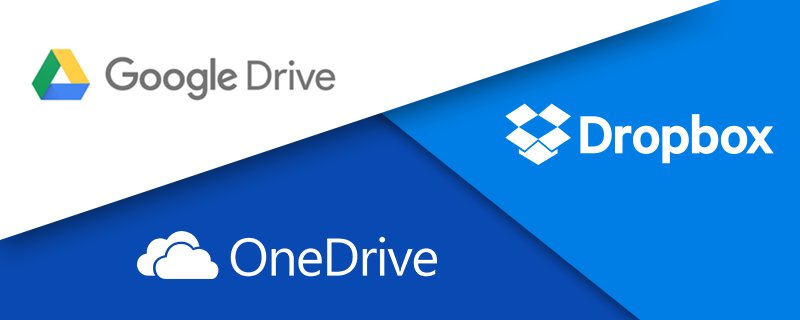
With a plethora of cloud storage solutions available out in market, I had to analyze what niche and needs were left unfulfilled that major players weren’t addressing. One good thing was that there was zero need to re-invent the wheel. The reason I researched these three companies is because they hold the largest market in the cloud storage space. By knowing what their strengths and weaknesses are, I could capitalize on them. In addition I looked at their potential opportunities for growth to create a unique value proposition that BIN could offer.
Competition Highlights - Weaknesses & Threats
Google Drive
Internal Factors: Weaknesses
Weak file protection, encryption and security features
Poor file conversions for pdfs
Cannot access cloud offline and internet is required
Only a minor backup solution for PCs
No version control, history or ability to revert a file to its previous state
Shared privacy features require users to have Gmail
Connected storage with gmail, not a stand-alone cloud storage medium, inbox counts as storage space used
Limited file sharing permission settings
External Factors: Threats
If any competitor implemented superior security, off-cloud integration, version control, collaboration features and file editing features while still having the similar storage capabilities by delivering more space at a lower price point, they could rival their big-name competitors and possibly dominate the industry
OneDrive
Internal Factors: Weaknesses
No end-to-end encryption which means that files are encrypted during an upload but not after they have been uploaded
External Factors: Threats
If any competitor implemented superior security and off-cloud integration, while still having the similar storage capabilities by delivering more space at a lower price point, they could rival competitors and possibly dominate the industry
Dropbox
Internal Factors: Weaknesses
No offline features
Used for certain kinds of storage: Dropbox cannot be used to store huge volumes of data or present relationships between various categories of data, or depict it in a manner which can be understood through user-friendly reports
External Factors: Threats
If any competitor implemented superior security and off-cloud integration, while still having the similar storage capabilities by delivering more space at a lower price point, they could rival competitors and possibly dominate the industry
Reason I chose these specific user types was mainly due the demographics of my survey and the target audience I wanted to serve specifically in a niche. Most of users I surveyed were students and business professionals with a 4-year degree or above in education; ages 25-55.
NEW USER
Tamara Johnson
• Role – College student working on her master’s degree • Basic demographic information – She is a Caucasian 26-year-old full-time student from Chicago, Illinois • Motivations –She uses her current cloud storage solution to store her writing assignments and share them with her professors and colleagues • Goals – Her goal is to organize and share all her files and folders seamlessly with her professor and/or fellow classmates in order to prepare her comprehensive exam • Frustrations – Her current solution has slow sync or upload speeds, which frustrates her when trying to submit her assignments early or on-time for her professors
CURRENT USER
Andrew Vega
• Role – Creative Director at a marketing firm • Basic demographic information – He is a Hispanic 30-year-old from Washington DC • Bio – Andrew is a father of two children • Motivations – He currently uses his cloud storage solution with his in-app productivity tools to create and collaborate with his marketing team • Goals – He wants real-time collaboration and sharing to be effortless so he can better manage his team’s workflow • Frustrations – His current frustration is that he has limited access to his creative files because they aren’t able to sync to all of his devices, only his work desktop and laptop. He has the added step of uploading his data to his thumb drive and carrying it wherever he goes if he doesn’t want to bring his laptop with him, and he’s also concerned about the security that protects his files at work
USER STORIES
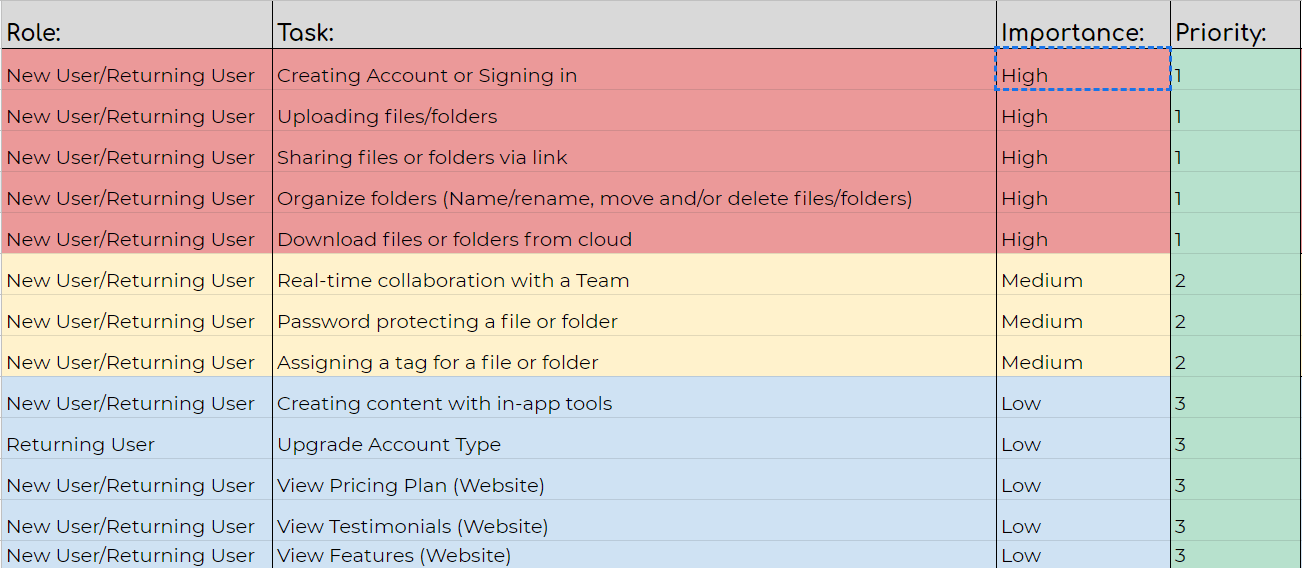
What tasks matter most to users?
Both by interviewing users and being a user of cloud storage myself, I wanted to narrow down which features were absolutely essential in a data storage solution. Everything else I discovered based on my research was “nice-to-have.”
INFORMATION ARCHITECTURE
Developing content structure
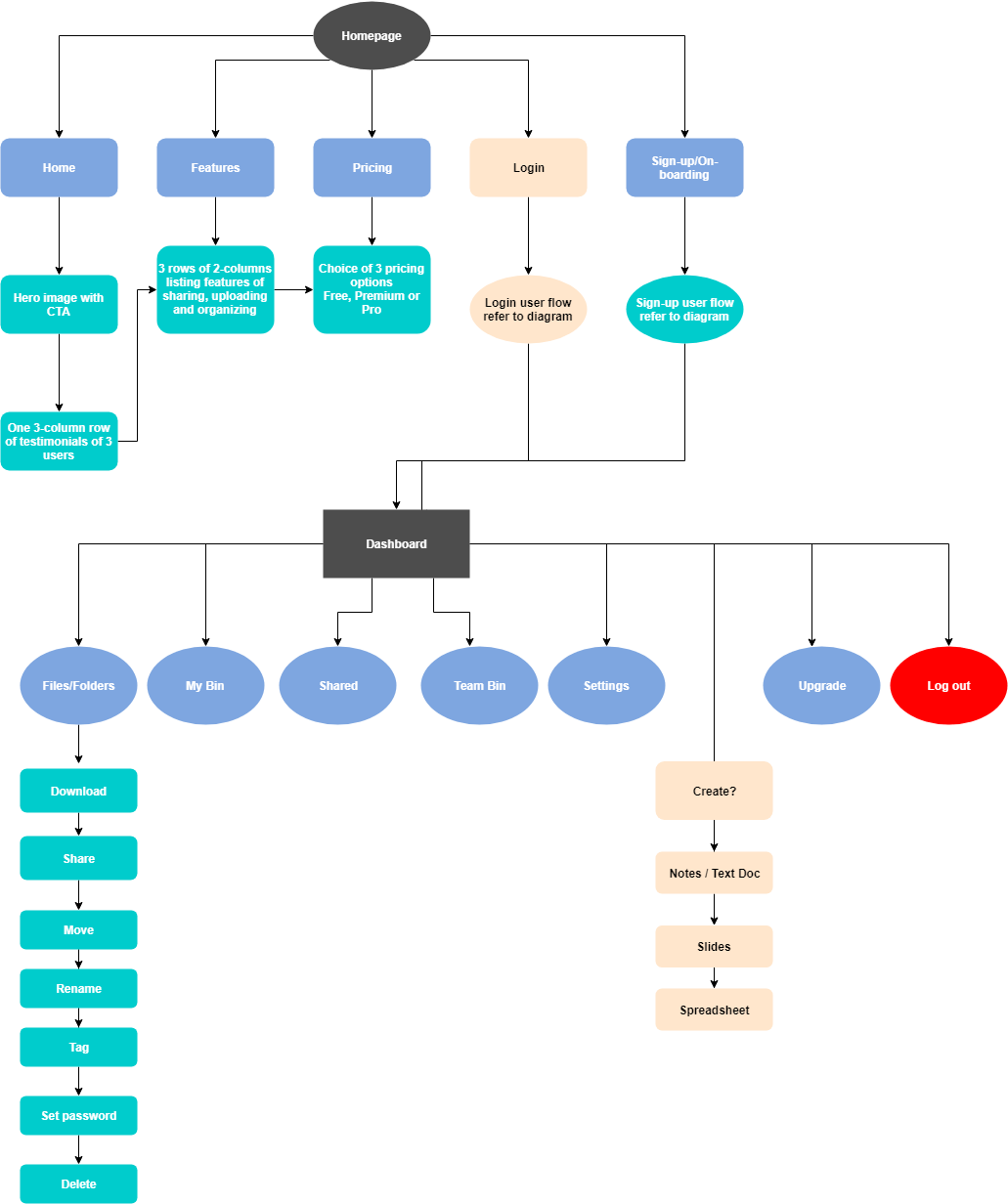
The information architecture was based on the user’s WIIFM (What’s in it for me?) model of thinking. I wanted to make sure that users knew what value they could attain by using BIN and gave them the opportunity to try it for free, before committing to a higher plan with more features.
UI SKETCHES
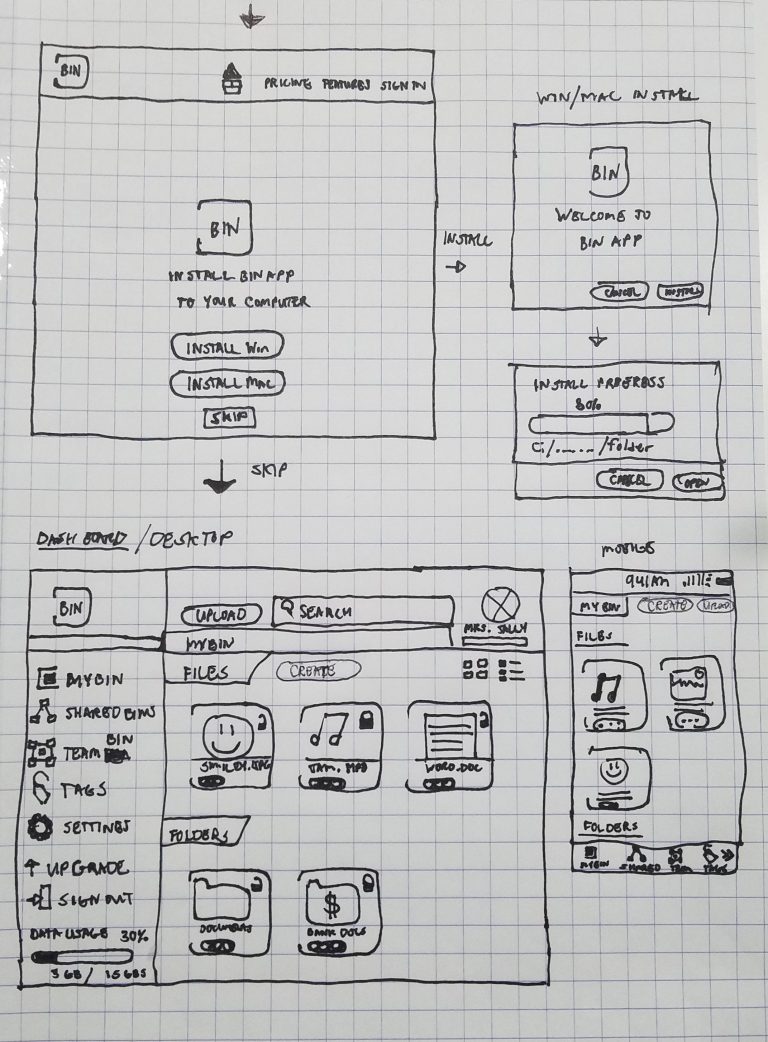
Putting ideas down on graph paper
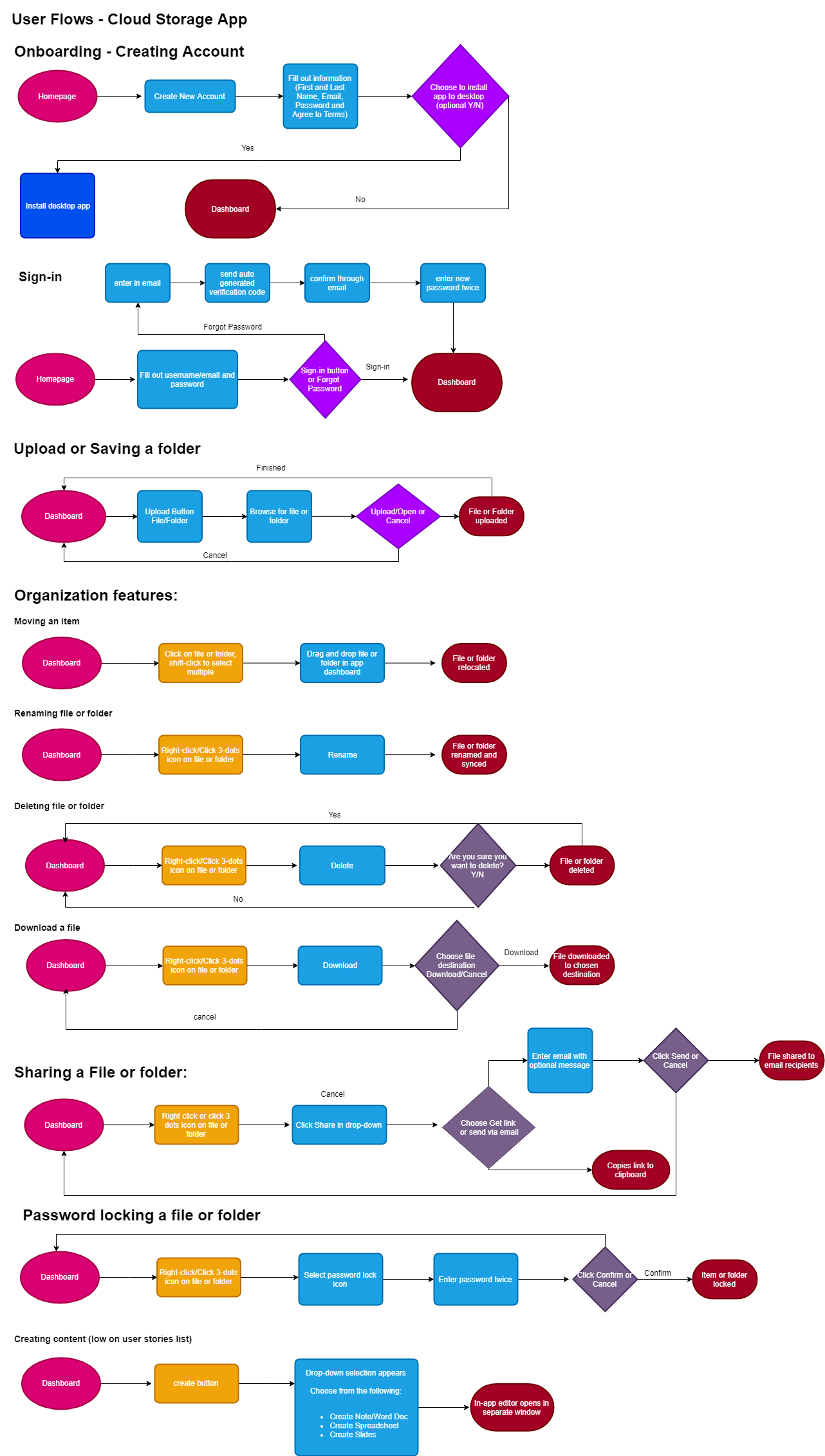
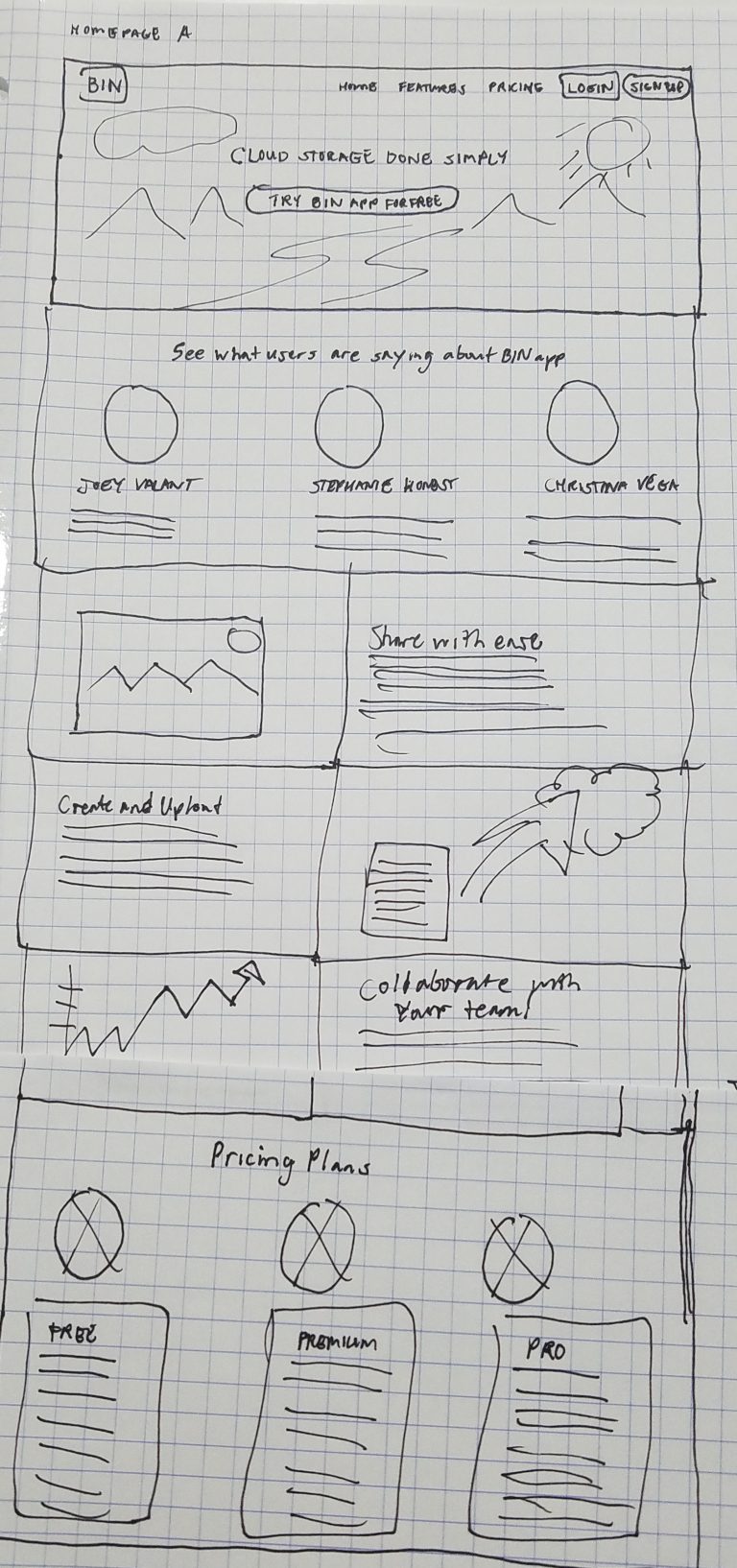
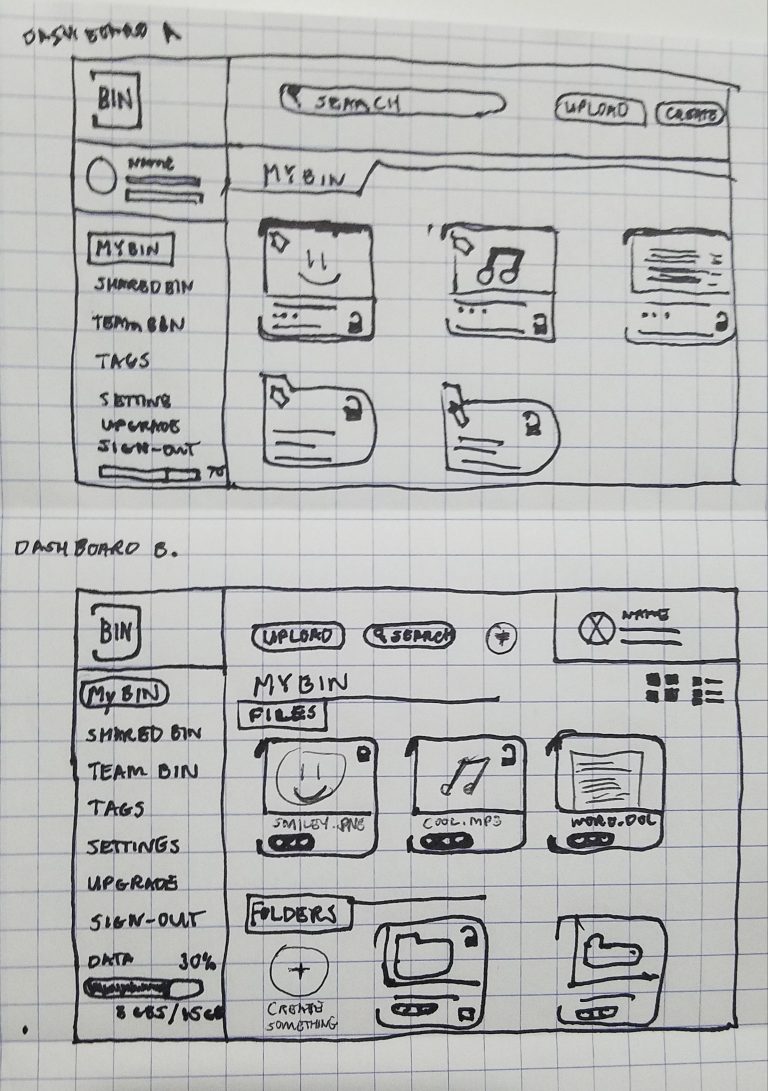
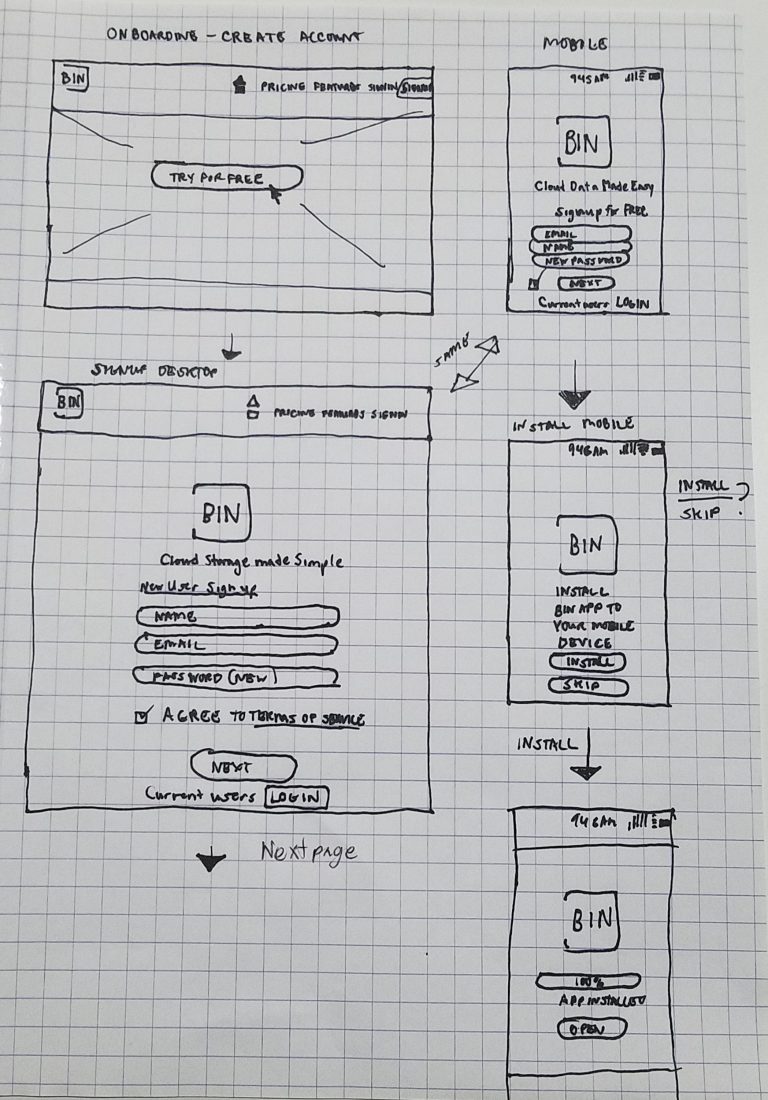
After organizing the data I gained in the previous stage, I started to sketch out ideas about how BIN would look on different devices with the user flows in mind. Below you’ll see the homepage layout, the desktop dashboard and mobile user flows. The desktop and mobile dashboard was based on Google Drive’s and LinkedIn’s UI because of user’s familiarity with this design pattern.
USER TESTING LOW FIDELITY WIREFRAMES
Creating usable wireframes
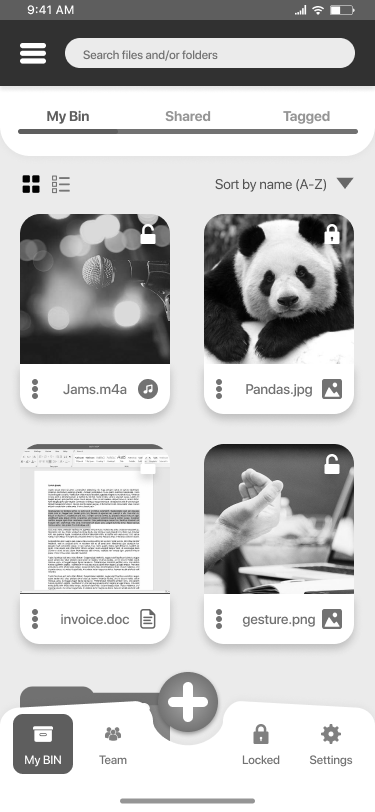
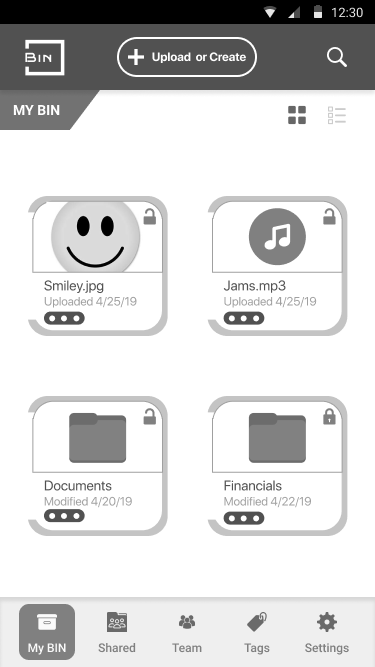
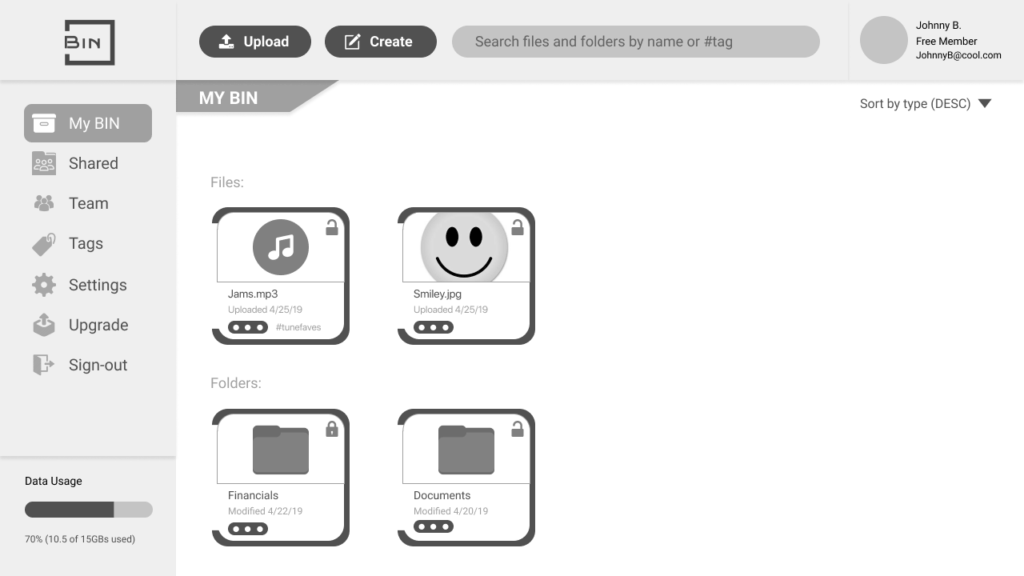
Now that I had my wireframes built out, it was easy to transition to Figma and create wireframes I could conduct usability and preference tests with. For my first round of usability testing and A/B preference testing, I wanted to know which set of designs were easiest to understand and use. I later used this feedback to develop my designs even further and prepare them for high fidelity mock-ups.
User Testing Highlights
My first round of testing, I tested two users on three different task flows: On-boarding, uploading content and organizing content.
According to both of my testers they both found on-boarding and uploading content to be quick and straight-forward.
Organizing content exclusively through tagging took them a minute longer to complete due to ambiguity. *I then decide to modify a move and rename user flow as a part of a drag & drop way of organizing content based on their feedback.*
A/B Preference Test Results
Users chose Mobile draft A, they liked the high contrast of the menu with the CTAs being closer to the footer and their thumb..
80%
Users chose Desktop draft B over A, due to CTA proximity.
67%
Mobile draft A (80% users voted for)
Mobile draft B (20% users voted for)
Desktop A (33% users voted for)
Desktop B (67% users voted for)
CREATING A BRAND IDENTITY
Psychology behind
the Bin brand
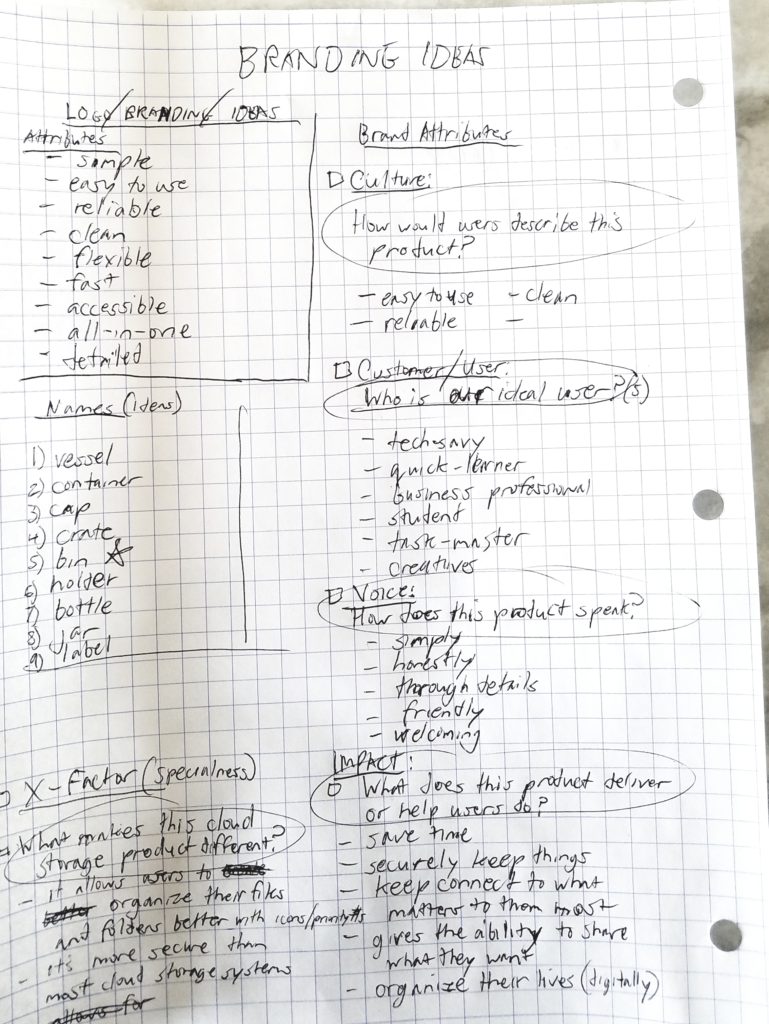
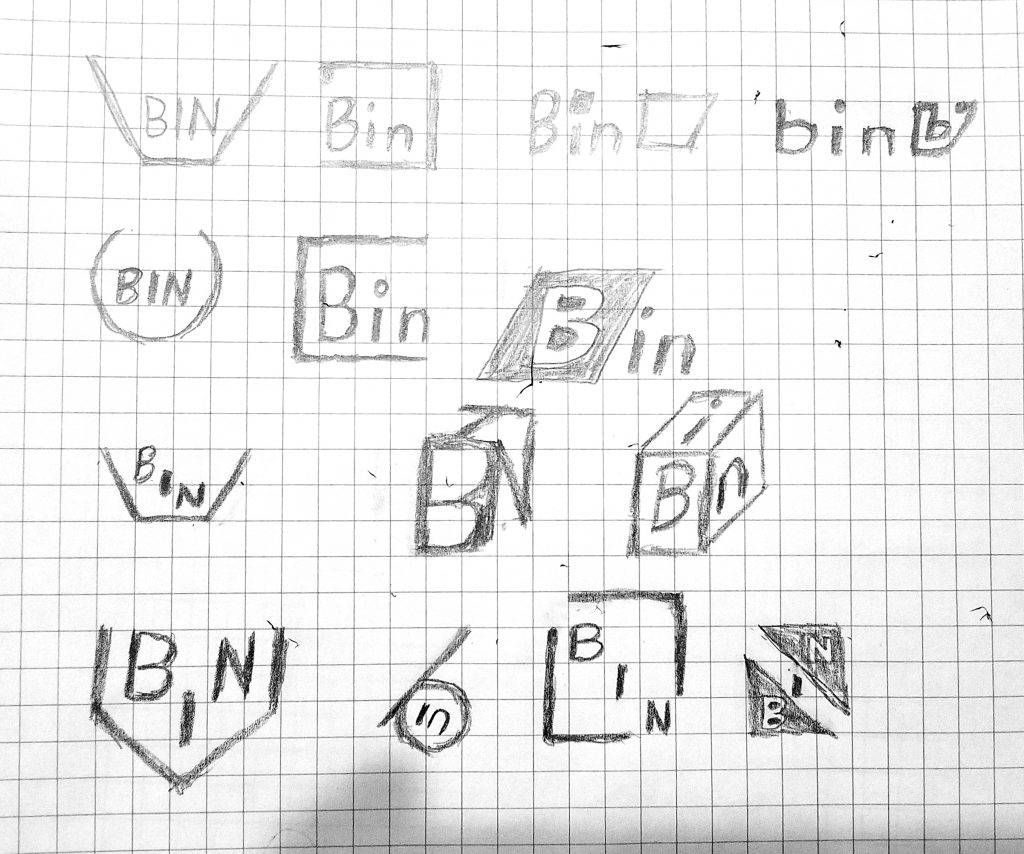
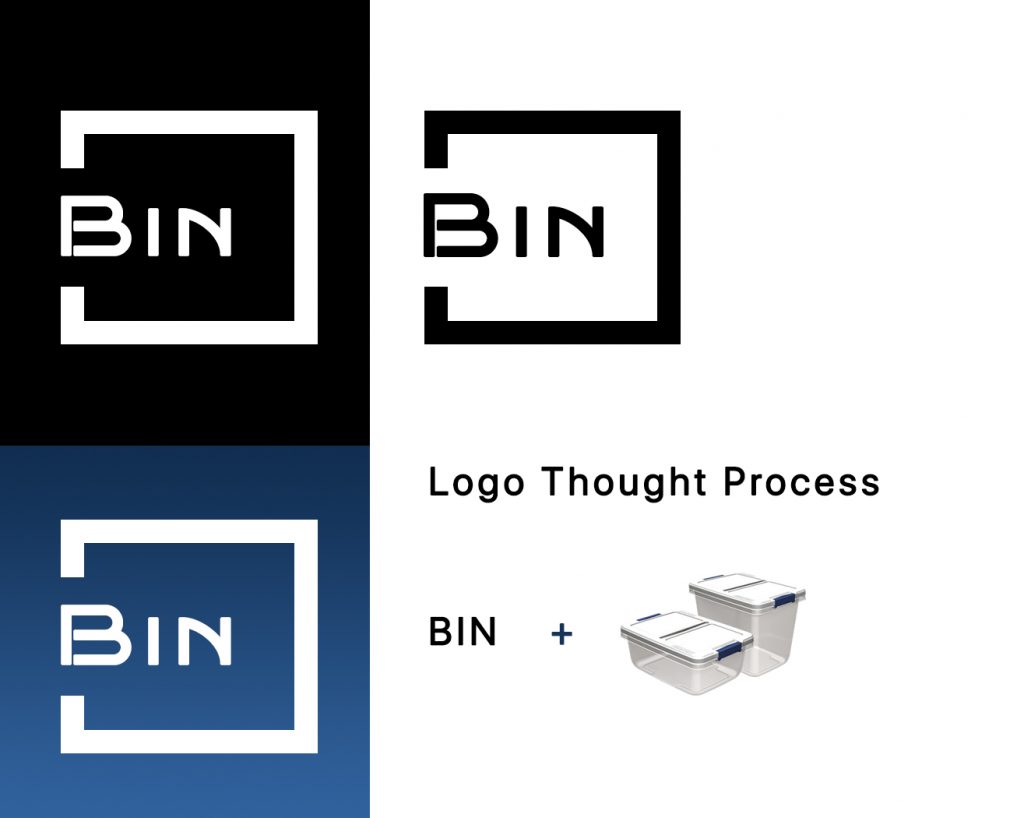
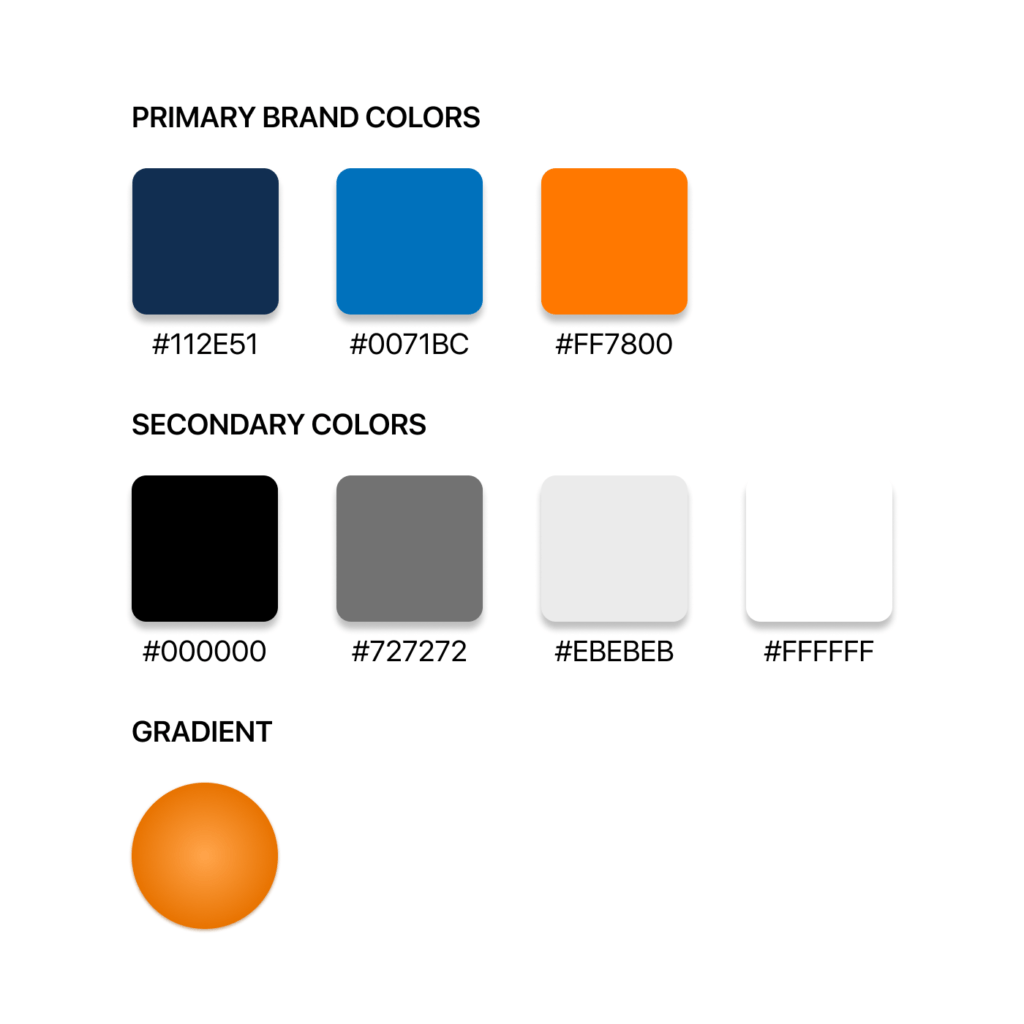
Do you remember how simple it was to store something in a Rubbermaid bin and label it? That essence of simplicity is what this brand represents. Why not have a solution that can help organize and store your data securely? Why complicate things in a world where things are already so complex? With those questions in mind, I began answering them through the logo, color palette and typography to develop BIN’s style guide.
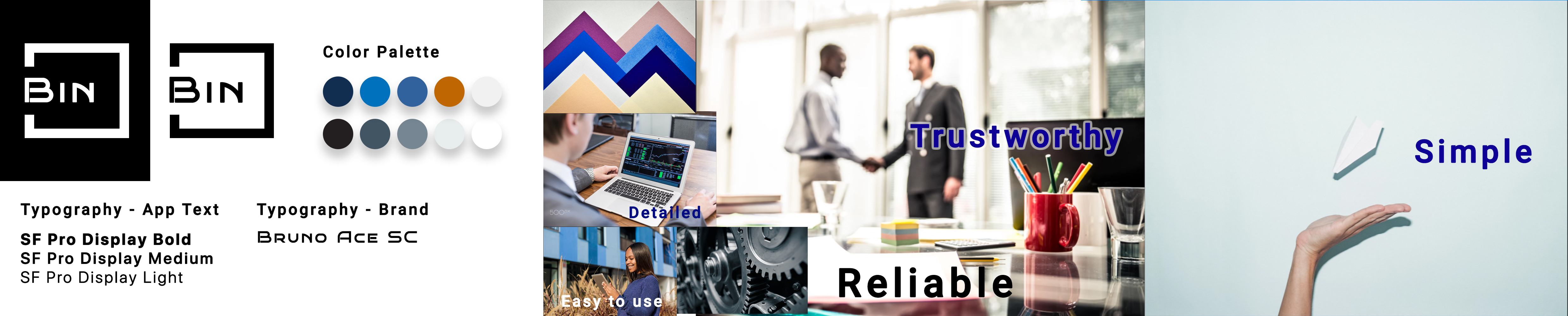
Brand characteristics of BIN are:
Simple
Easy to use
Detailed
Reliable
Trustworthy
Logo typography
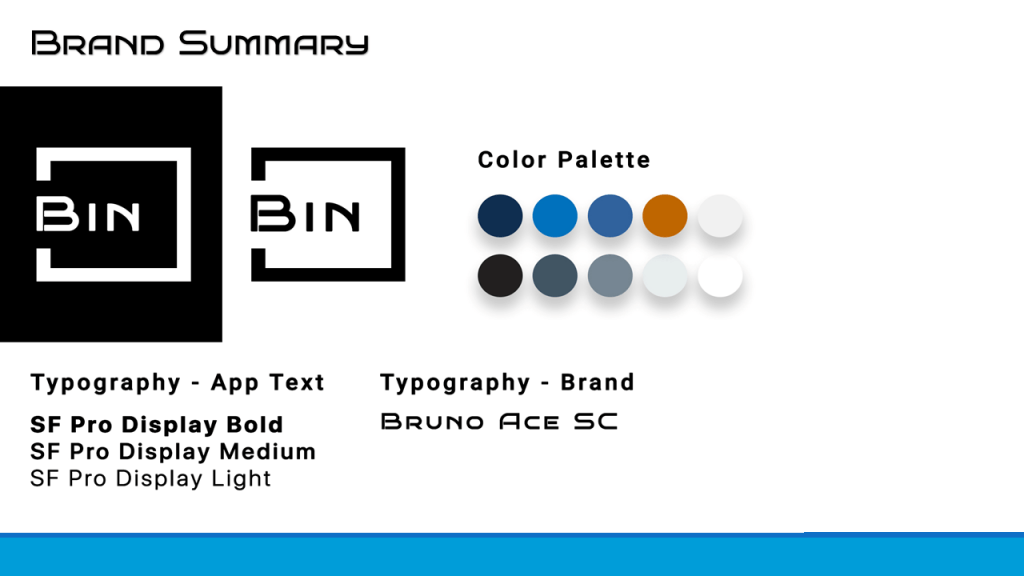
Bruno ACE SC was the font choice for the logo:
Having consistency at the forefront, I chose the Bruno ACE typeface in a capitalized format to make it easy to read while simultaneously balancing with the logo’s shape.
Also, when conducting preferences tests, results showed that this typeface was the font of choice by most of the users I surveyed, not only because of its uniqueness, but also due to the boldness it presents visually to the eye. During my A/B preference tests my users preferred this typeface over the previous iterations.
App typography
SF Pro Display was the font of choice for the base app:
In terms of legibility, this typeface was one of the easiest to read, based on user feedback. A lot of the users I surveyed and tested were Apple users.
Secondly this app’s design will be meant for Apple IOS first and foremost.
Thirdly, SF Pro Display aligns with the brand attributes and psychology described in previous checkpoints and slides.
Fourthly, most of the users I’ve surveyed and tested were Apple users.
VISUAL DESIGN
Bringing it all together
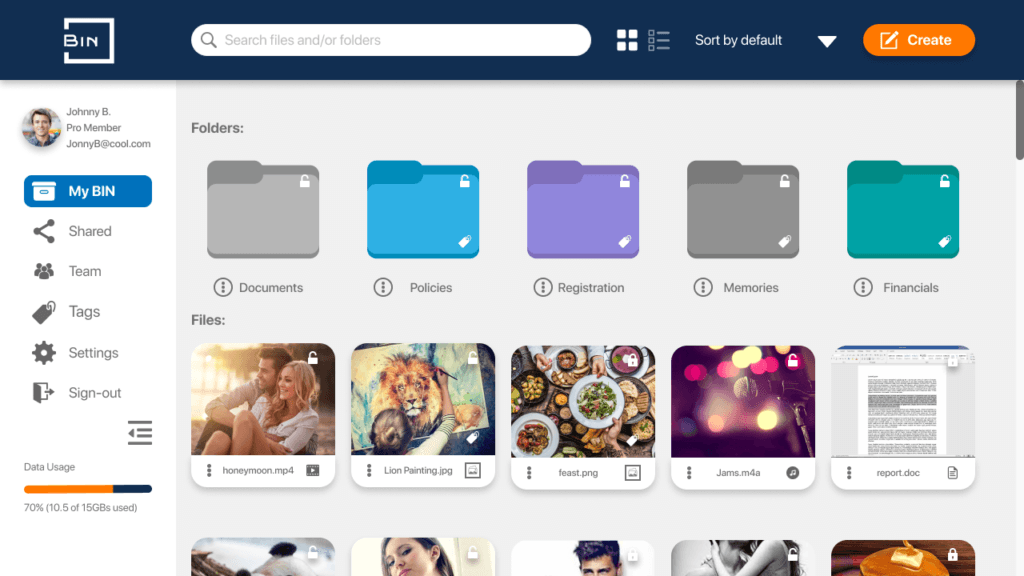
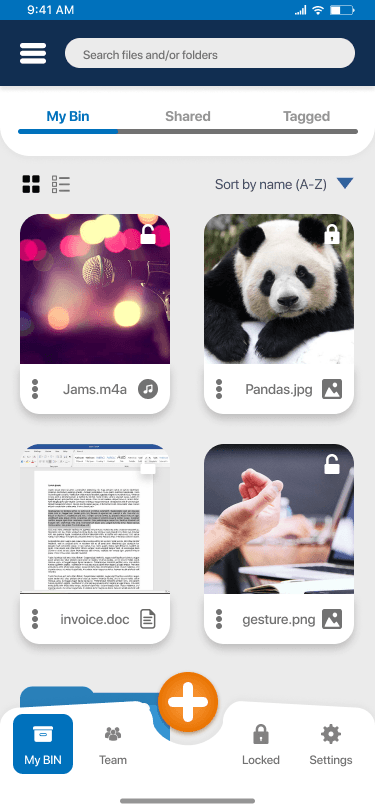
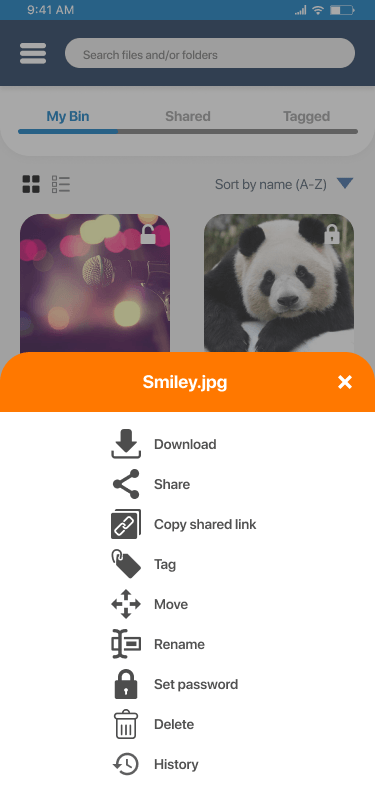
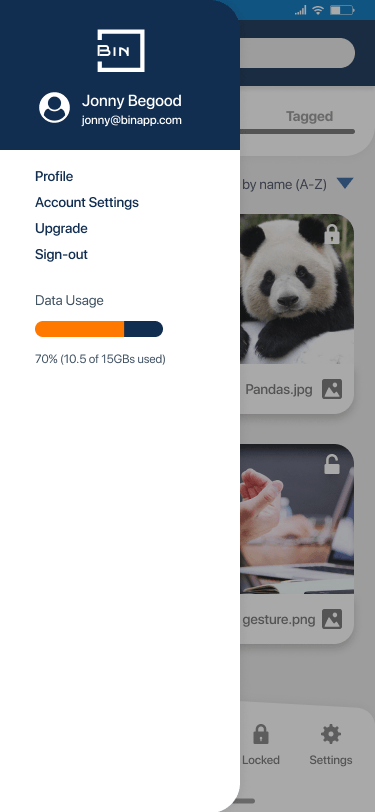
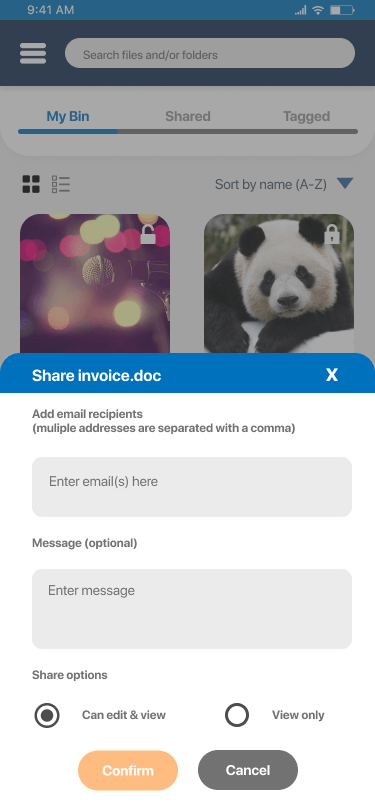
After gaining more feedback from the second round of user testing, I cleaned up the visuals by closing up the icons, refining the spacing for more work-space, adding mobile functionality and consolidating the buttons to simplify the UI. In addition I added floating “plus” button at the bottom center near the footer menu of the mobile app, because most of my users were Google Drive users and this design pattern would be familiar to them. I placed the button in the center vs. the bottom right to be left or right hand agnostic.
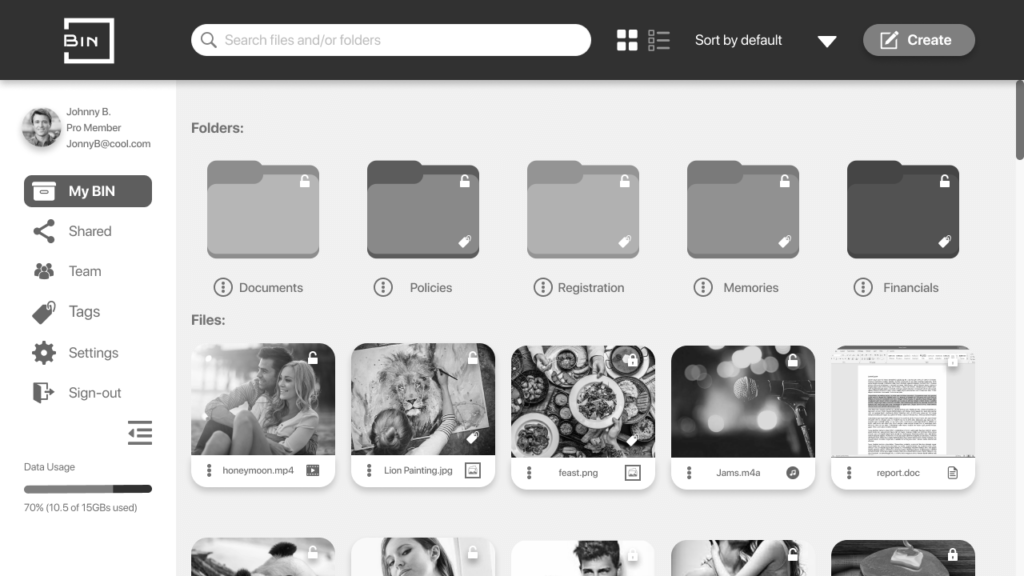
Desktop - My BIN
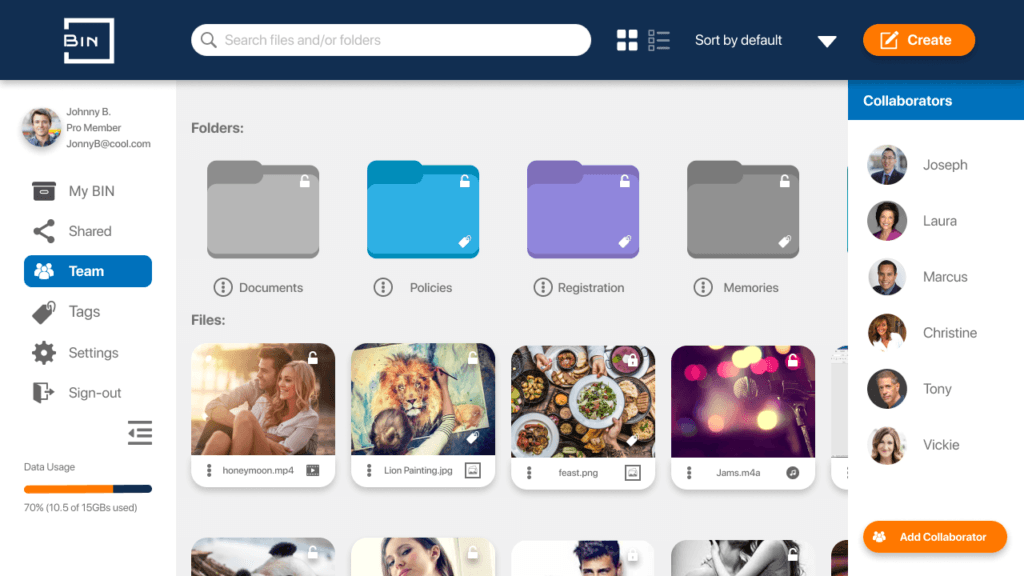
Desktop - Add Collaborators for Team Bin
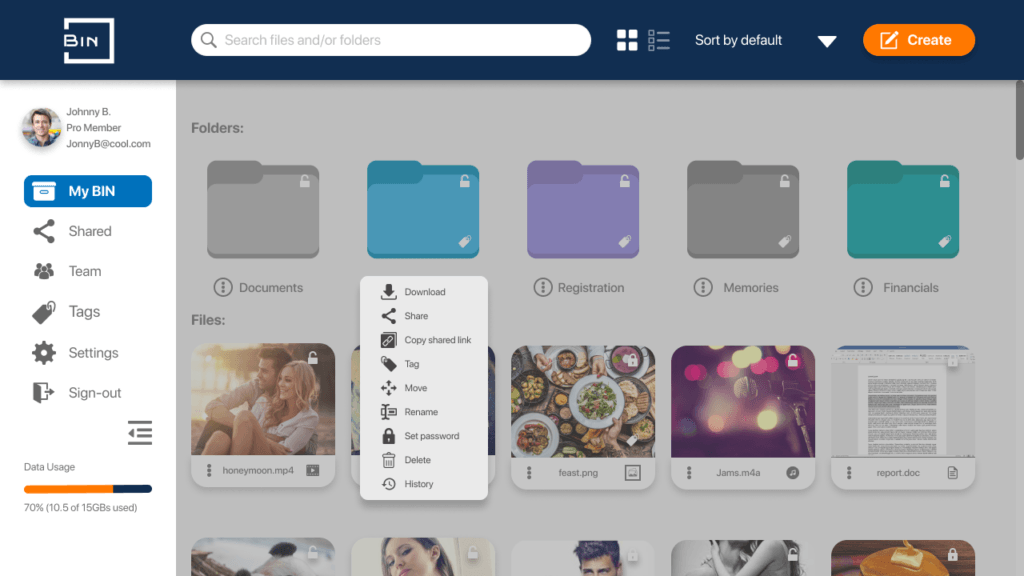
Desktop - Focused overlay with dropdown
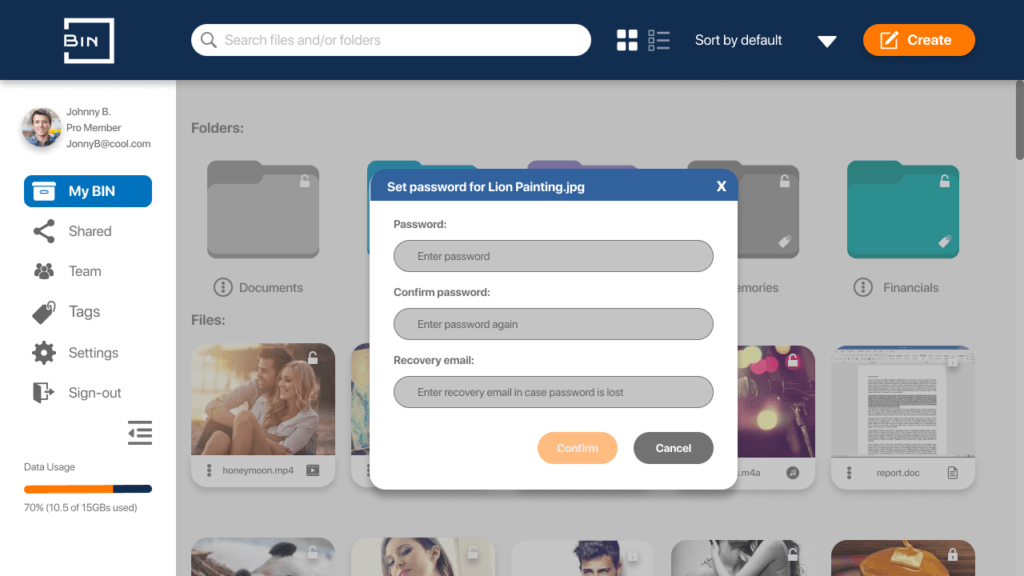
Desktop - Password lock
Mobile - My BIN (Main Dashboard)
Mobile - Meatball (3-dot) overlay
Mobile - Showing hamburger overlay
Mobile - Share via Email
VIEW BIN PROTOTYPE
View the live BIN prototype on Figma. These links will direct you to the mobile and desktop versions of this app.
Insights gained from users along with self-reflection
When I was first creating this project, I really wanted to provide a solution that would alleviate user pain points based on solid user research. As I gained more feedback from live user testing, I realized there was a large gap between what the users said they wanted vs. what their actual behavior was when using BIN.
This insight made me change my design direction, because I wanted to address the challenge of using BIN on mobile with one-hand or having “dark mode” available for users with light sensitivity according to their feedback. Even rearranging the UI to deliver better user focus helped immensely in making task flows more efficient. Some of my initial design decisions either confused the users I tested or lead them on a path far from task completion, so I added different elements to make things more obvious and noticeable to users to reduce ambiguity.
I knew I couldn’t satisfy every single need and pain point, however idealistically I wanted to try! I also had to learn to let go of personal preferences and really identify with the users. Having every feature under the sun can really dilute an MVP, and I had to control the urge to do too much for the sake of satisfying multiple preferences.
FUTURE STEPS >>>
What's next?
The psychology I want to apply for upcoming projects is to effectively think in reverse-chronological order and begin with the end in mind, keeping the bigger picture in the forefront. In the process of designing this project, I became more aware of the concept of “change being automatic” and “progress being optional.” People first, product second. Design is about win-win, creating relationships with users and companies.
REFINEMENTS TO ADD NEXT ARE:
Create new hover interactions and transitions in each task flow for the desktop app
improve search functionality
Add multi-language and accessibility features
Let's collaborate.
Have an upcoming design project or business challenge? Let’s chat so I can understand your situation and better serve you.